Your money, finally clear.
Log your expenses, stick to your budgets and see where your money goes. It all happens on your phone, with no account and no ads.
- No account
- No ads
- Works without internet
- Encrypted backups
Try it here, nothing to install
Type an amount, confirm with ✓, then add the expense. The timer starts on your first digit.
The whole app, screen by screen
From an expense logged in 3 seconds to a transfer between your accounts: discover Portmoni screen by screen, exactly as it is in the app.
Every day
Plan ahead
Your accounts
Understand
Modules
Screen 1 of 11
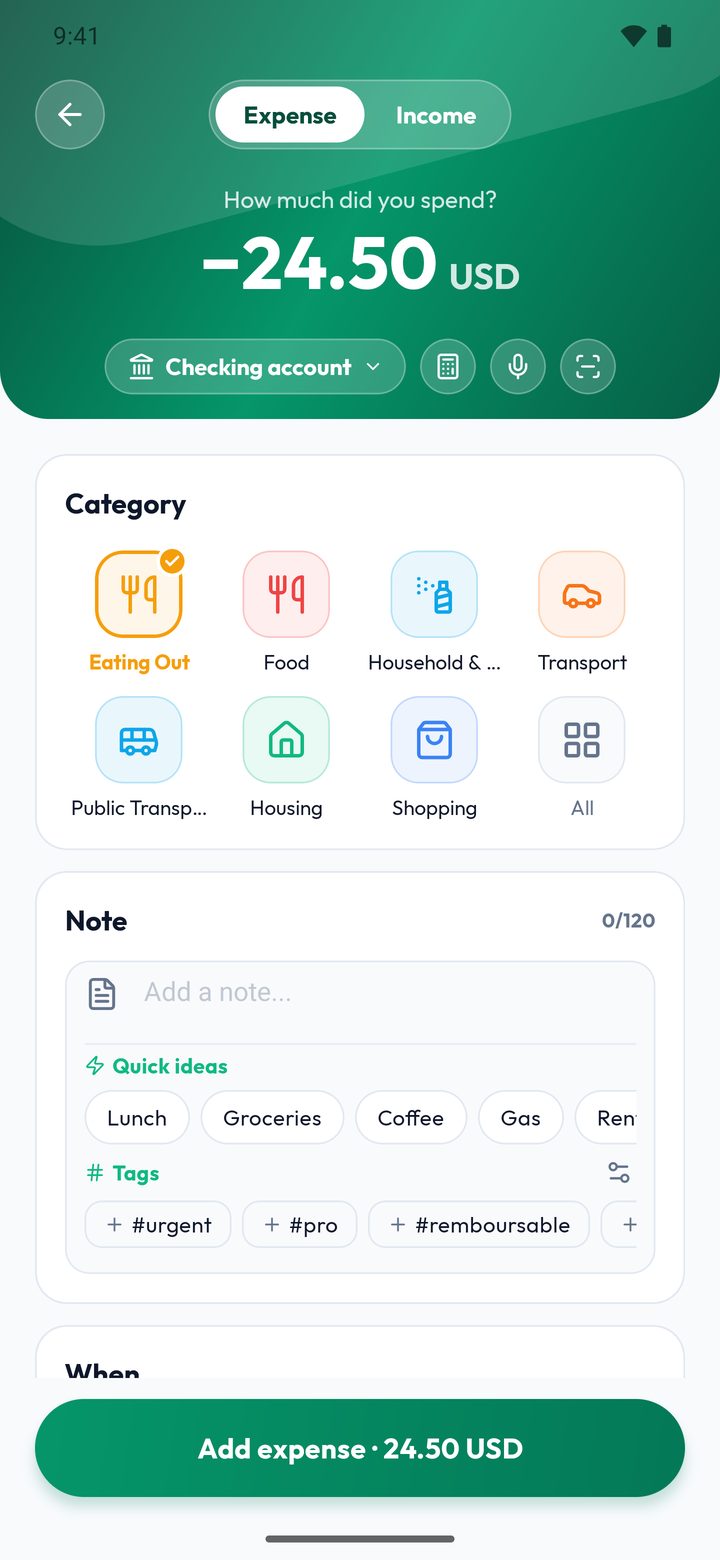
Add an expense
Amount first, on the Portmoni keypad, then the category: done. Your balances update instantly.
- Keypad with a built-in calculator
- Category suggested automatically
- Voice input and receipt scan close at hand (Premium)
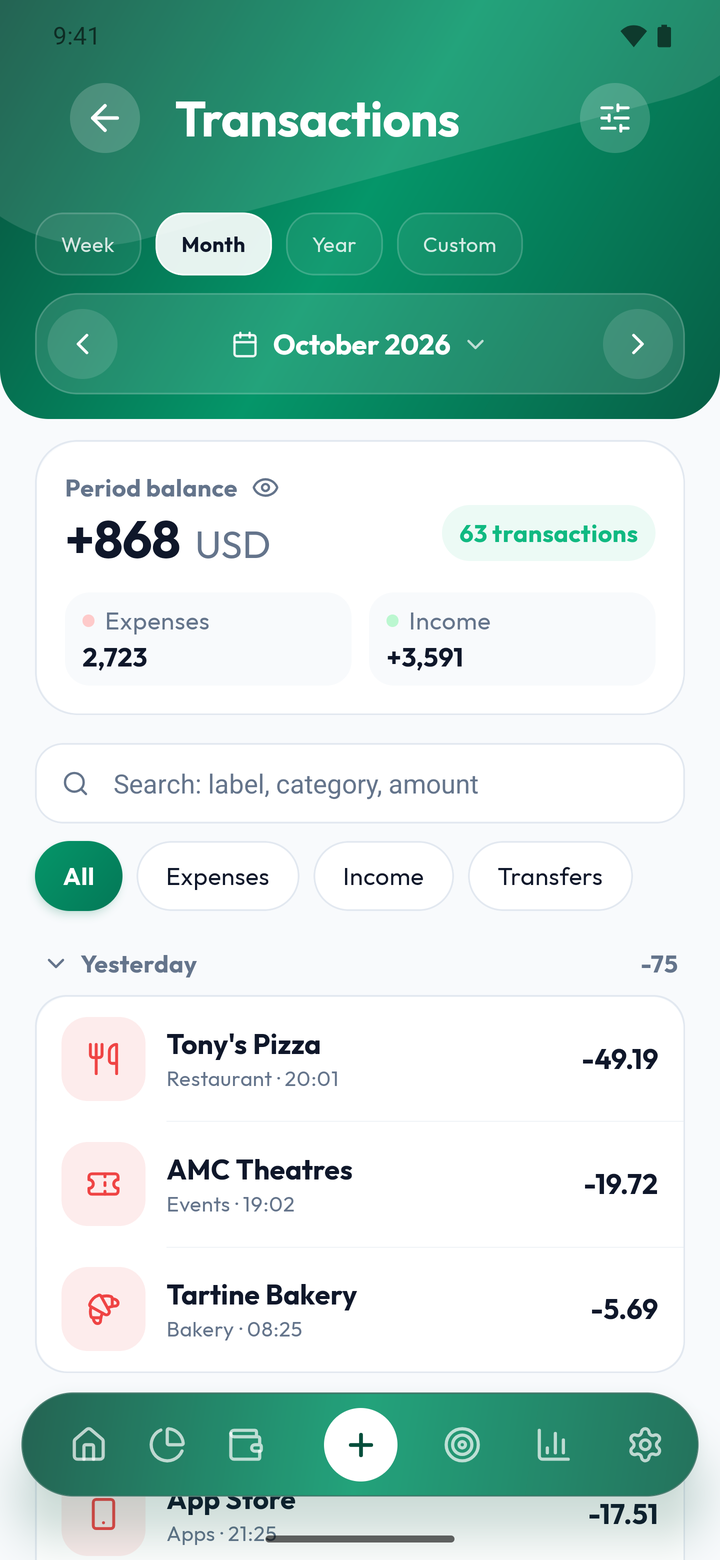
Transactions
Your whole history, period by period, with the period’s balance, expenses and income at the top.
- Search by label, category or amount
- Quick filters: expenses, income, transfers
- Week, month, year or a custom period
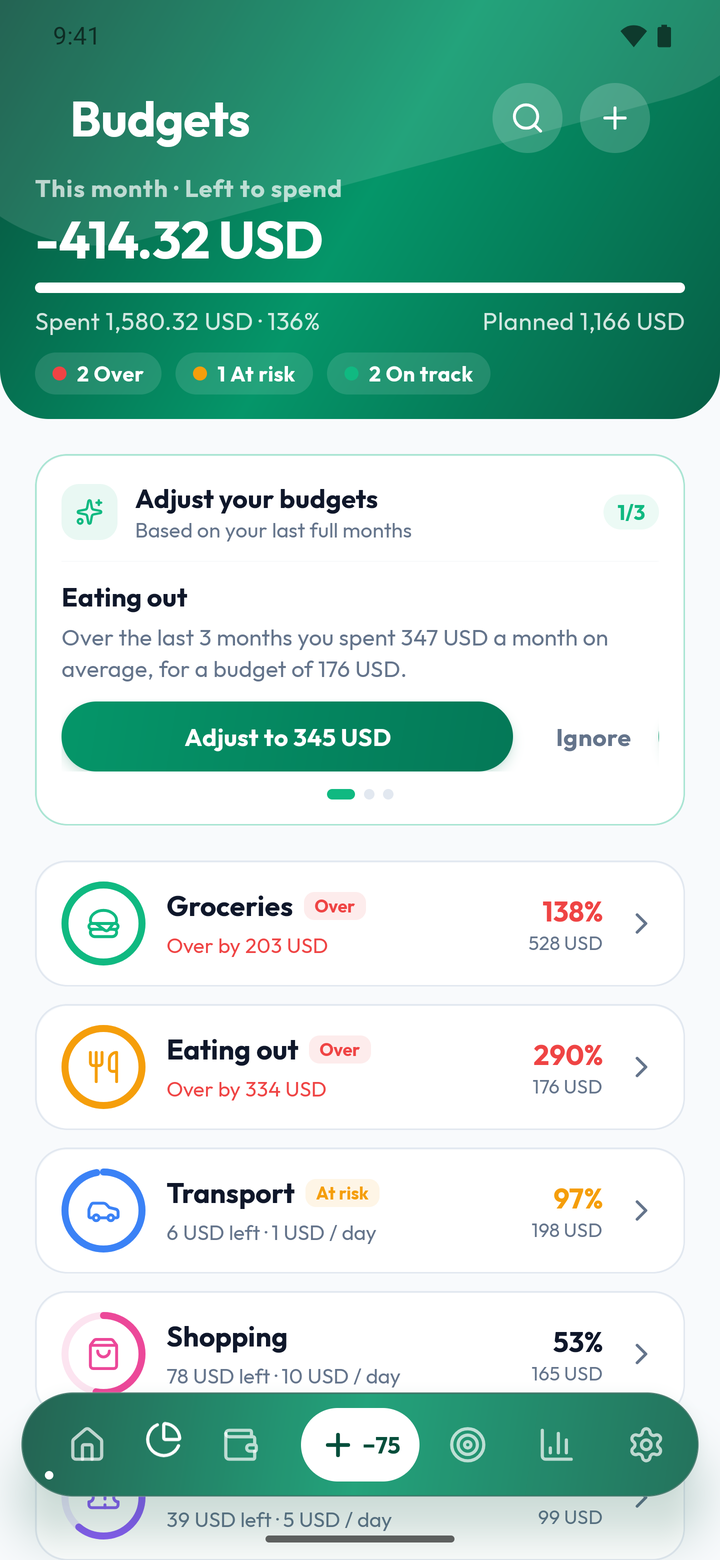
Budgets
Set a budget per category and see live what you have left to spend this month.
- This month’s left-to-spend at a glance
- Alerts before you overspend
- Adjustments suggested from your last months
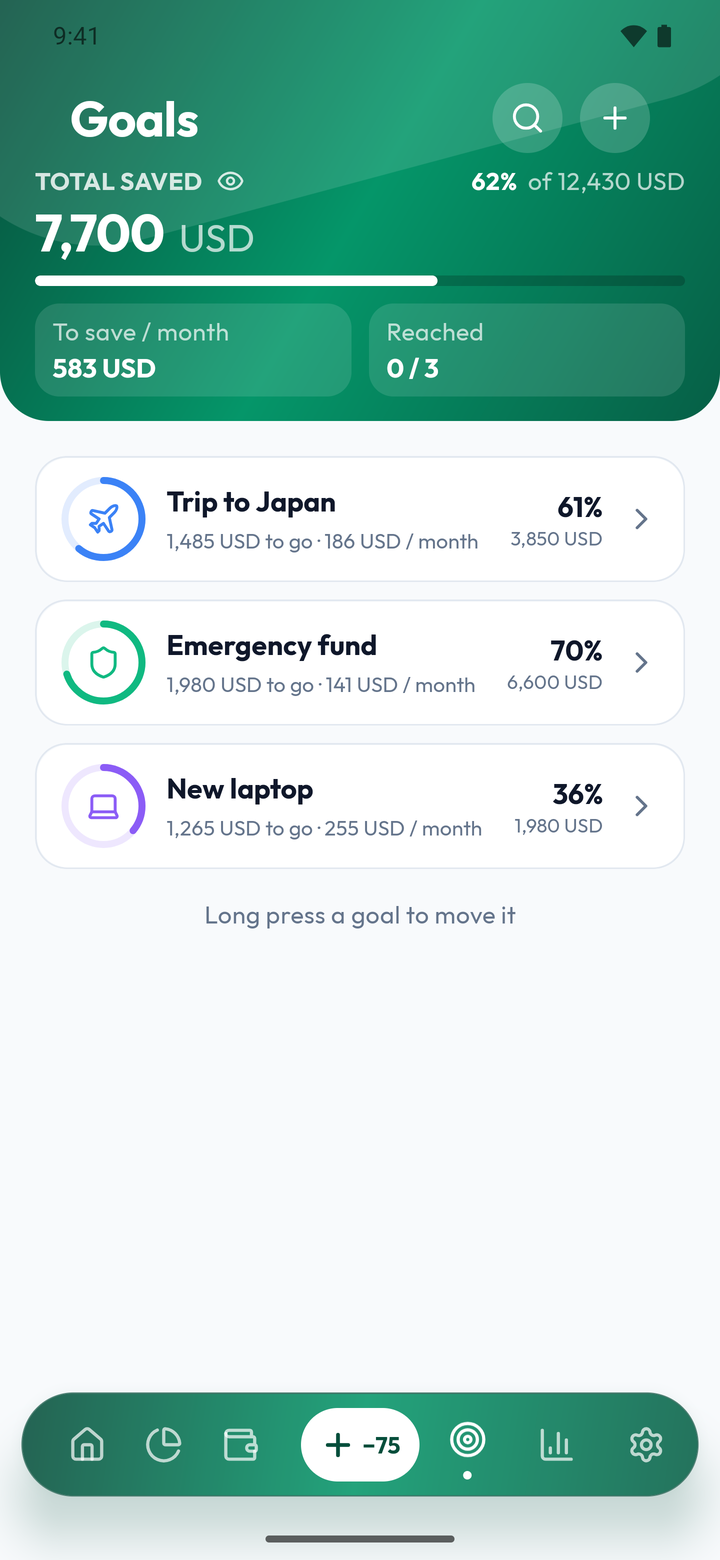
Savings goals
A trip, an emergency fund, a new laptop: follow each goal all the way to the target amount.
- Progress and amount left
- Suggested monthly saving to reach it
- Total saved across all your goals
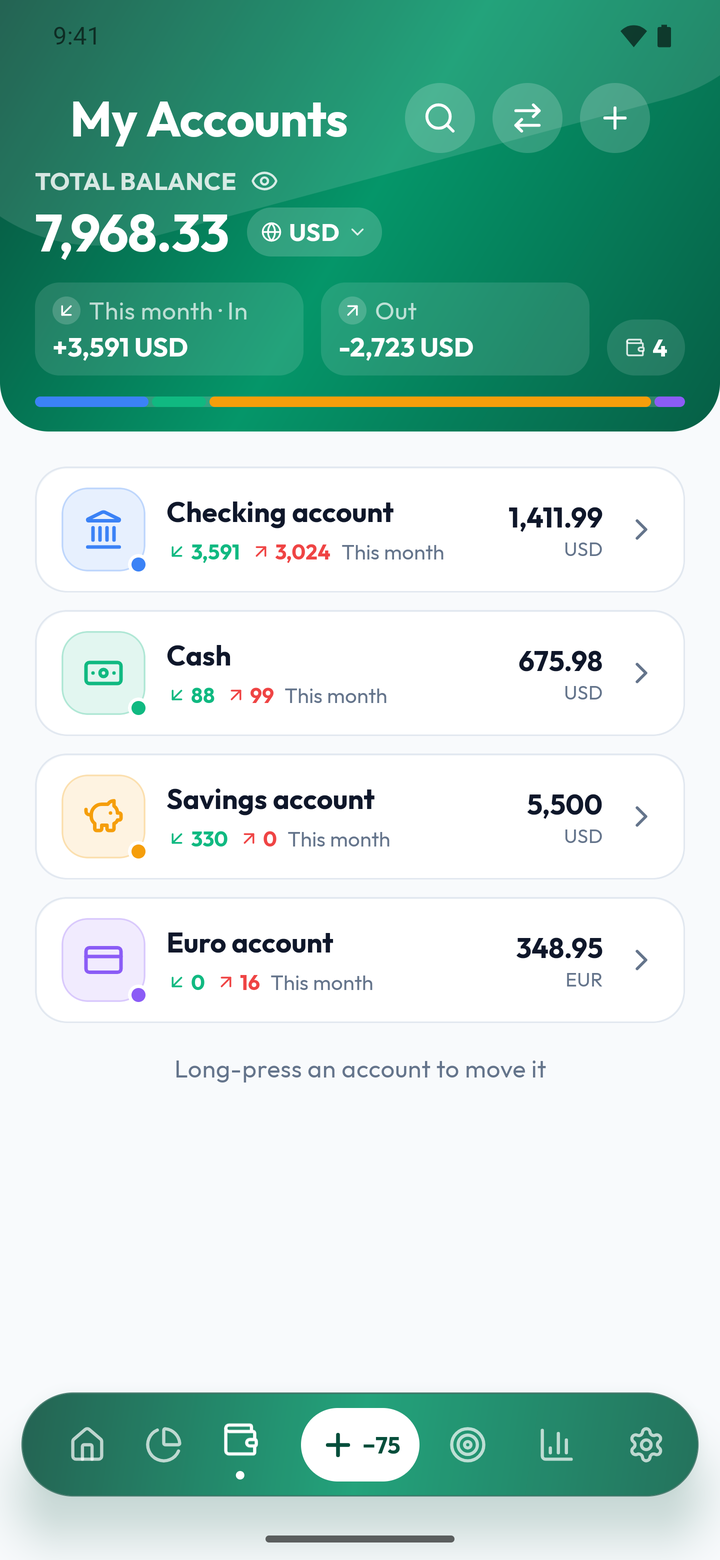
Account management
Checking, cash, savings, foreign currency: all your accounts in one place, each with its own balance.
- Money in and out this month, per account
- Accounts in other currencies
- How your total balance is split
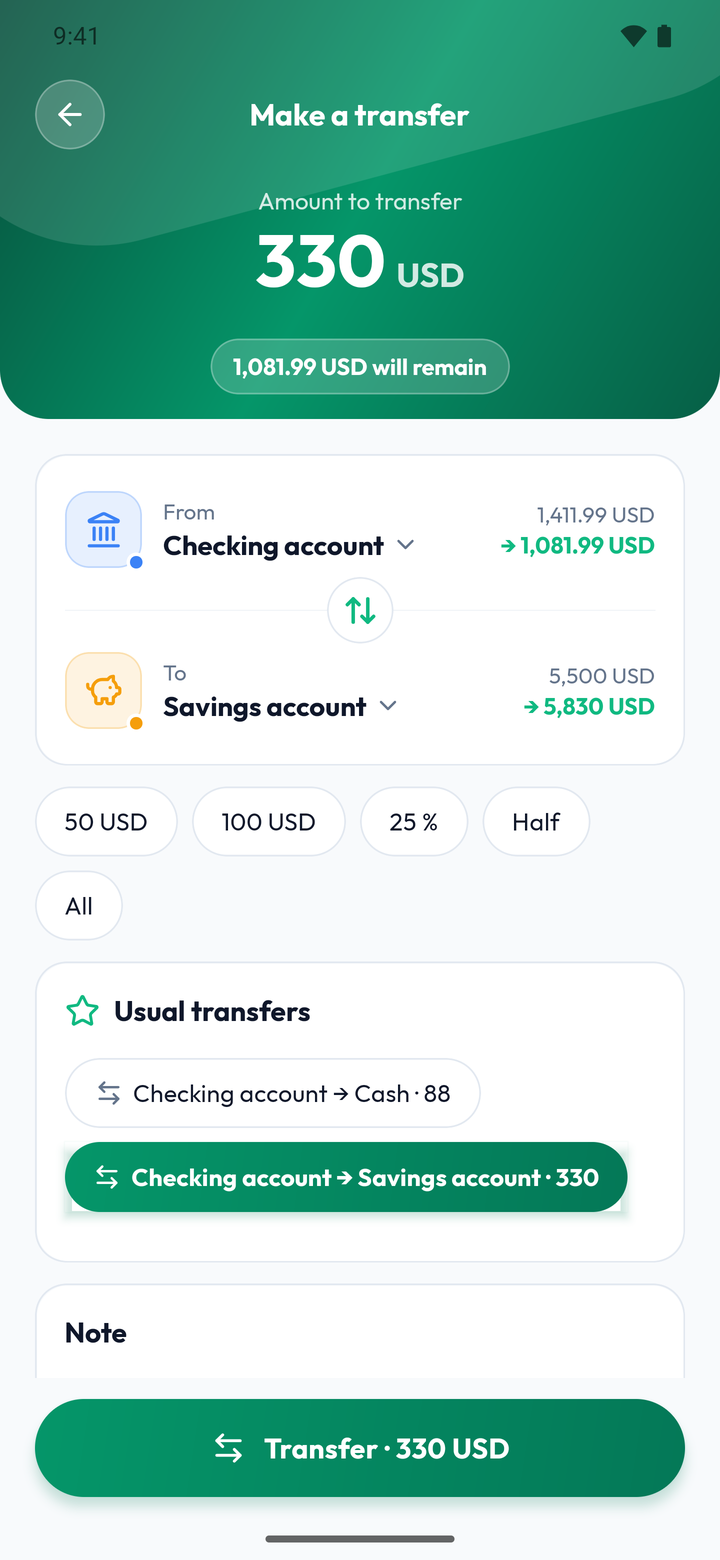
Transfers
Move money from one account to another and see each balance after the transfer right away.
- Balance before → after, for both accounts
- Quick amounts and usual transfers
- Automatic monthly transfer and fees (Premium)
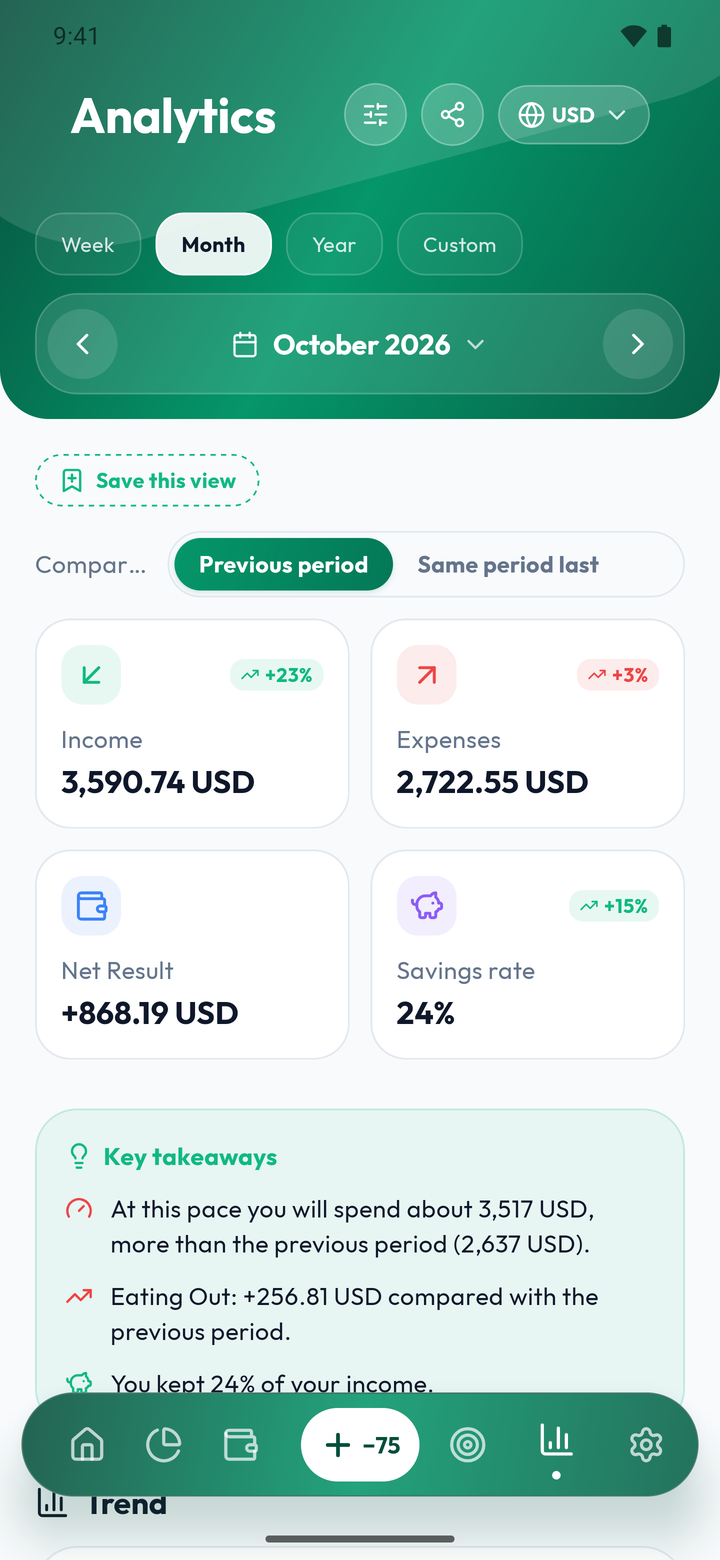
Analytics
Charts by category, by month, by account: finally understand where your money goes.
- Income, expenses, net result and savings rate
- Compare with the previous period or last year
- Key takeaways: your spending trends, in plain words
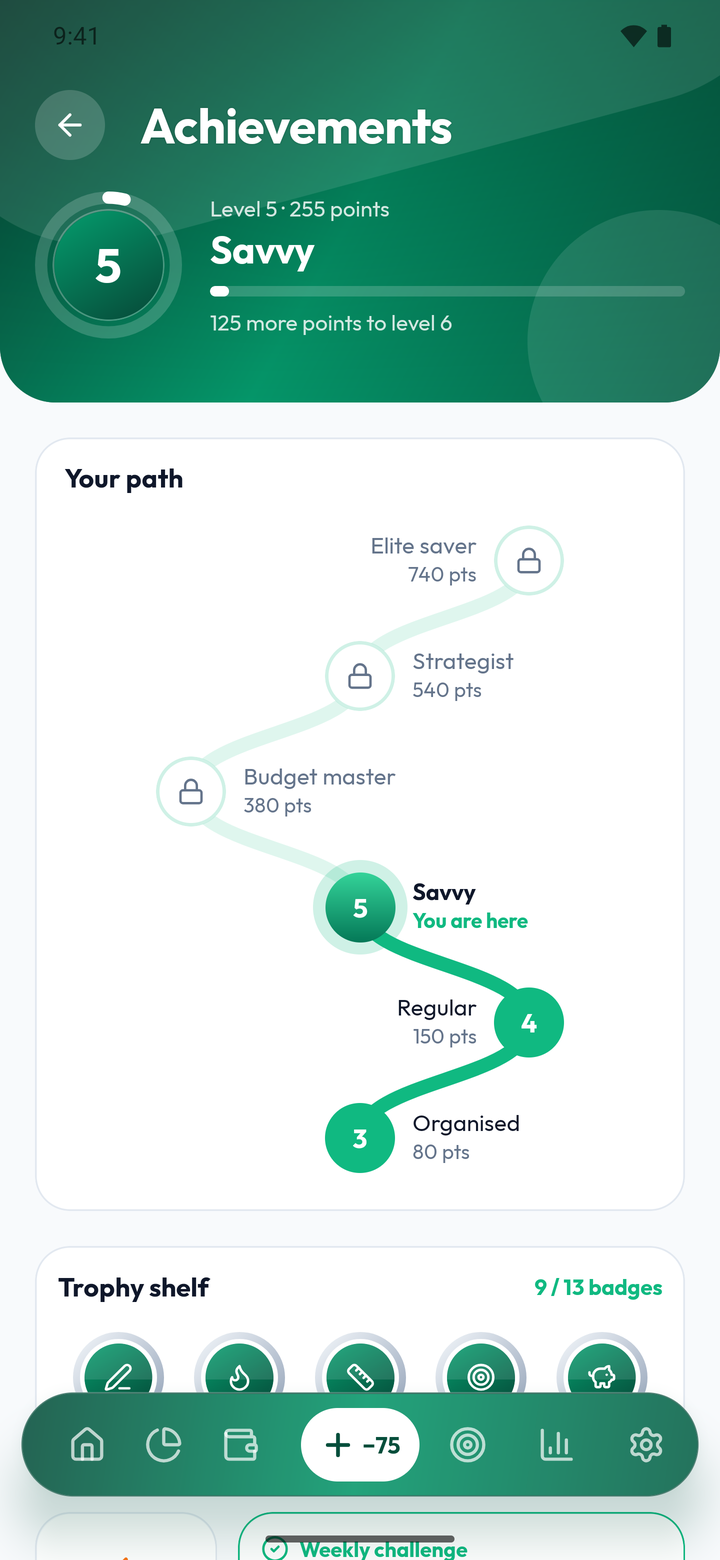
Achievements and levelsPRO
Good habits rewarded: badges, levels and a weekly challenge, computed from your real data.
- 13 badges in 3 tiers: bronze, silver, gold
- 10 levels, from first steps to elite
- A new challenge every week
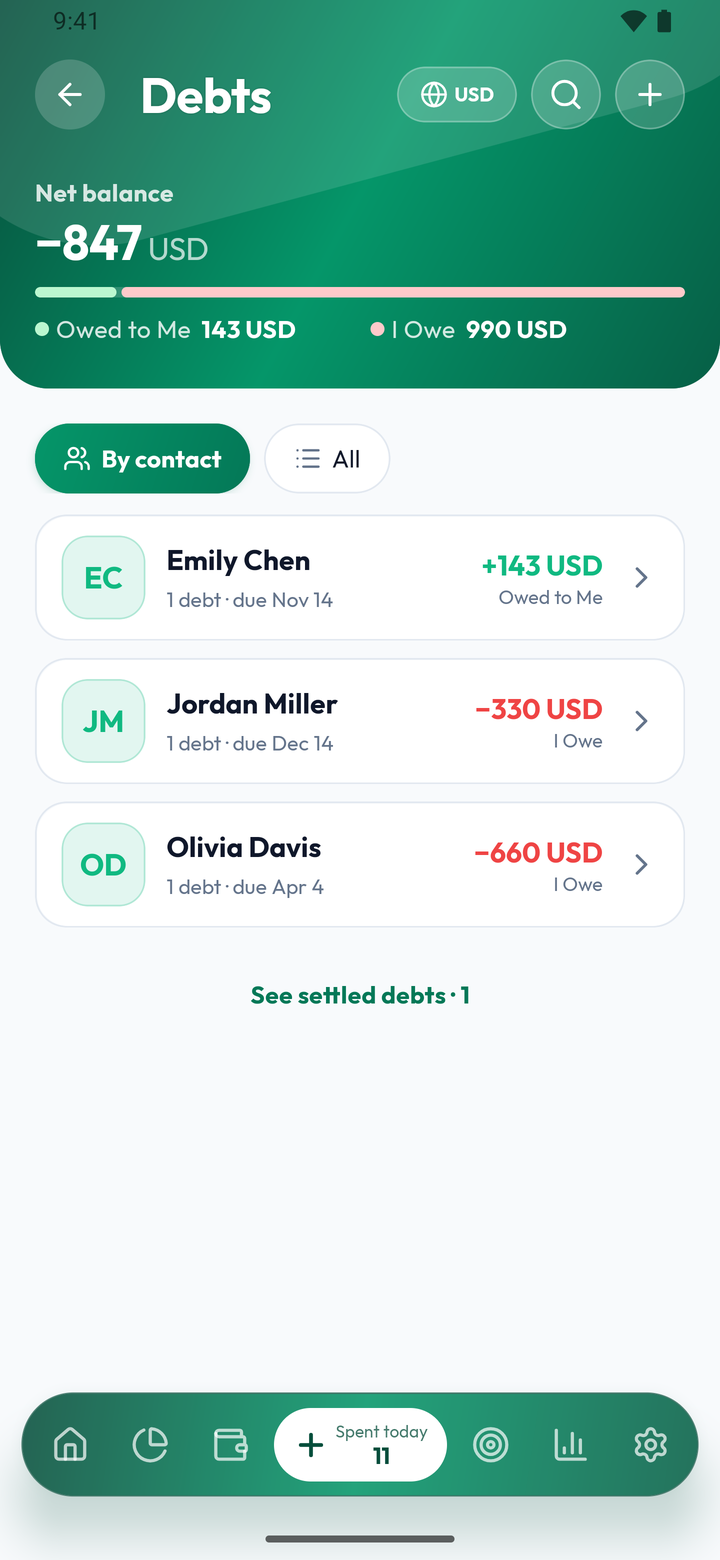
Debts
Who owes you, what you owe: record your debts and repayments, the remaining balance is computed for you.
- "I owe" and "Owed to me", with the net balance
- Filters: overdue, due this week
- Reminders before the due date
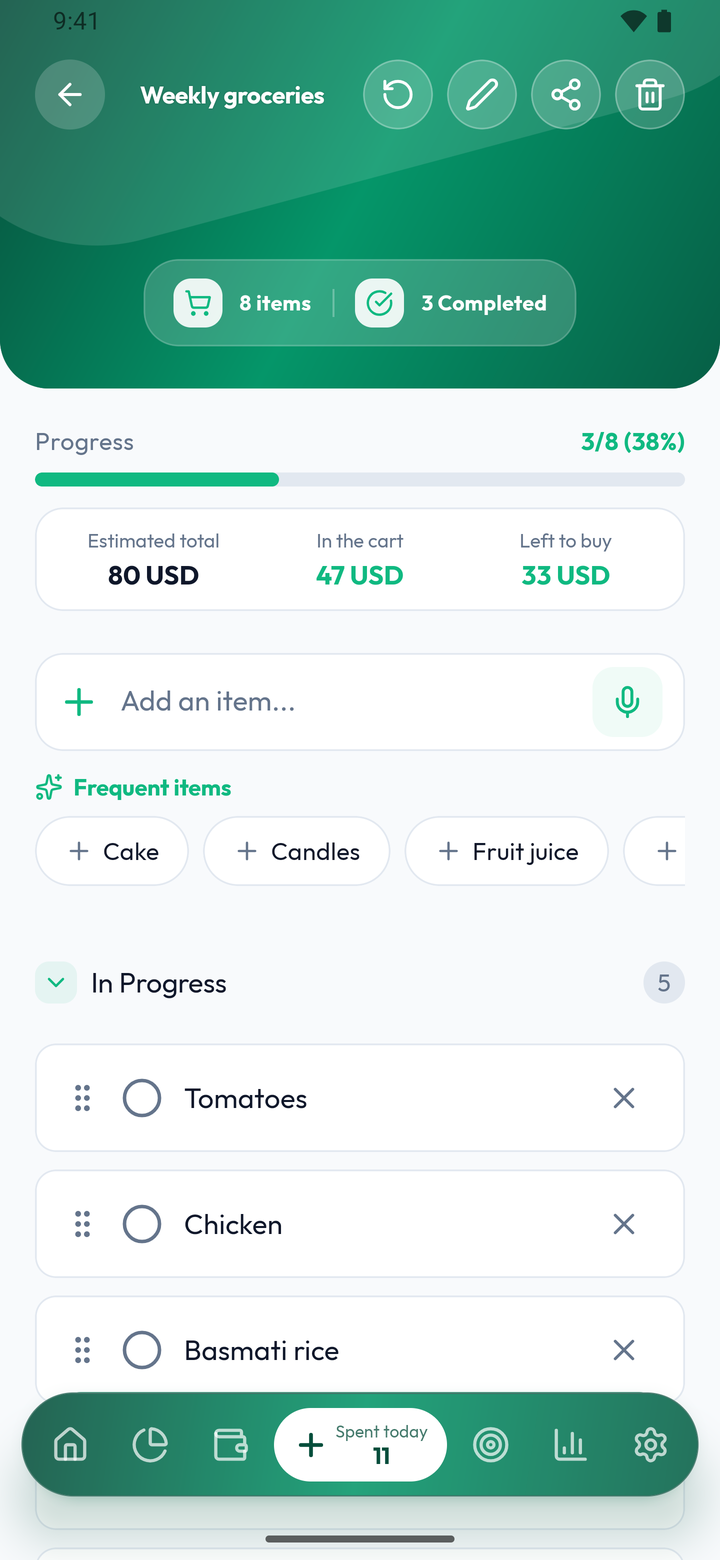
Shopping lists
Create your lists, tick items as you go and keep an eye on what your shopping costs.
- Estimated total, in the cart, left to buy
- Frequent items added in one tap
- Add items by voice (Premium)
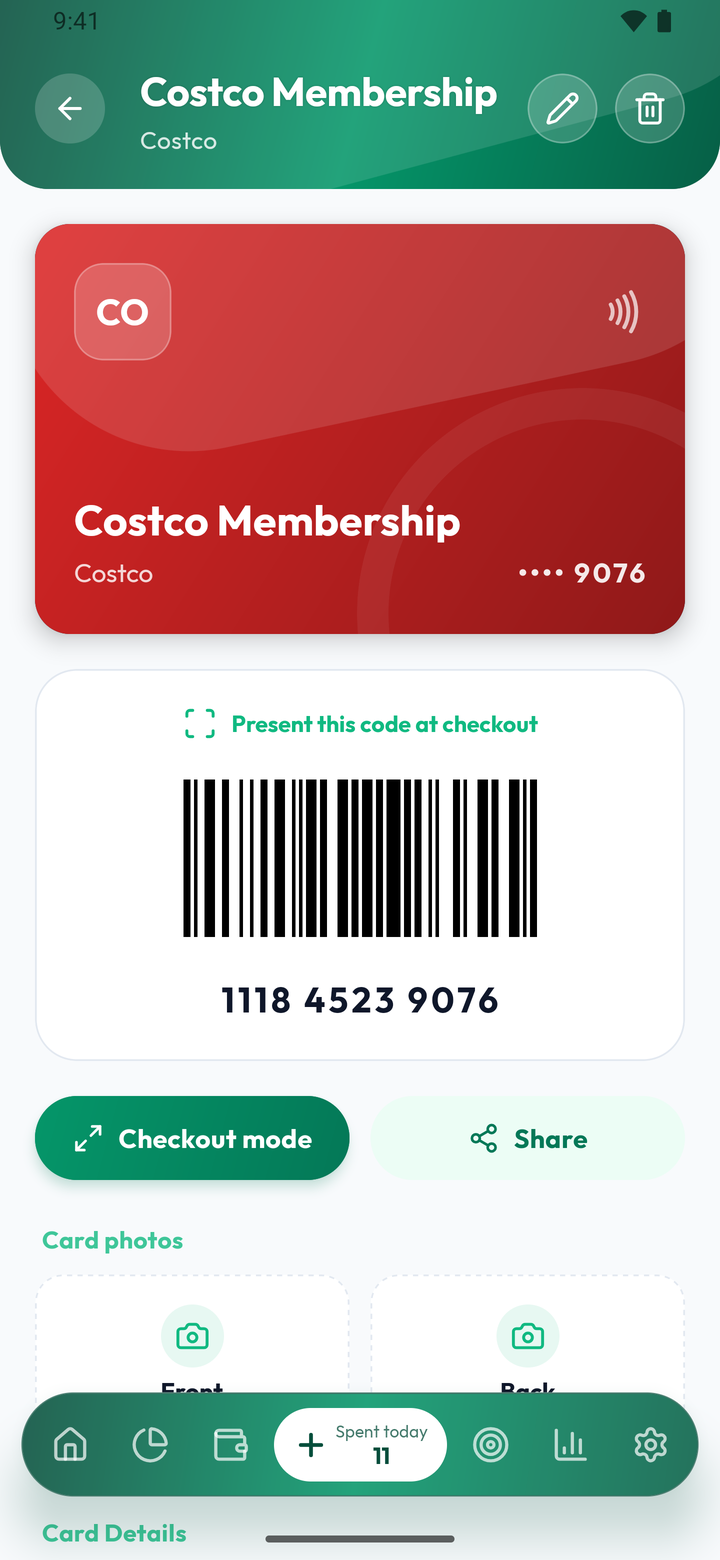
Loyalty cards
All your cards in one place, with barcodes and QR codes ready to scan at the checkout.
- Checkout mode: full screen, maximum brightness
- Front and back photos of the card (Premium)
- Share a card in one tap (Premium)
And much more
Receipt scanningPRO
Photograph a receipt: each line becomes an expense, read right on your phone.
Recurring transactionsPRO
Subscriptions and bills: add them once, they come back on their own.
Multi-currency
Accounts in several currencies, with up-to-date rates or your own.
Android widgetsPRO
Your spending, budgets and goals right on your phone’s home screen.
Security
Lock the app with a PIN or biometrics.
Encrypted backups
Encrypted backups of your data, with Google Drive sync on Premium.
PDF / XLSX exportPRO
Export your data to PDF or XLSX to archive it or analyse it elsewhere.
Net worthPRO
Accounts, receivables and debts brought together in one view of your net worth.
Your money is nobody else’s business.
No account to create, no server for your transactions. Here is exactly what stays with you, and what goes over the internet.
Stays on your phone
- Accounts and balances
- Expenses and income
- Budgets and goals
- Debts and contacts
- Loyalty cards
- Scanned receipts, read on the spot
And to protect access
- PIN and biometrics to open the app
- AES-256 encrypted backups, with your password
Goes over the internet, and why
- Exchange rates
- When you manage your currencies. The request contains a currency code, never your amounts.
- Crash reports
- Sent to Firebase Crashlytics so bugs can be fixed.
- Google Drive backup
- Only if you turn it on (Premium). The file is encrypted before it is sent.
- Voice input
- Premium. Uses your phone’s speech recognition, which may rely on Google services.
- Purchases and updates
- Handled with Google Play. A Premium purchase is verified with Google.
Free for every day. Premium to go further.
Premium is on us for 7 days when you finish setup. After that, you choose.
Monthly, yearly or lifetime plans. Prices appear in Google Play, depending on your country.

| Feature | Free | Premium |
|---|---|---|
| Transactions | Unlimited | Unlimited |
| Accounts | 3 | Unlimited |
| Budgets | 3 | Unlimited |
| Savings goals | 1 | Unlimited |
| Tracked debts | 5 | Unlimited |
| Loyalty cards | 3 | Unlimited |
| Custom categories | 5 | Unlimited |
| Currencies | 2 | Unlimited |
| Visible history | Last 3 months | Full |
| Statistics | Essential | Advanced |
| Backup | On the phone | + Google Drive |
| Receipt scan and voice input | Not included | Included |
| Recurring items and net worth | Not included | Included |
| Android widgets | Not included | Included |
| Achievements and levels | Not included | Included |
| PDF and Excel export | Not included | Included |
Frequently asked questions
Straight answers.
Is Portmoni really free?
Yes, with no ads and no limit on transactions. The free version limits the number of accounts (2), budgets (3) and goals (1), and the visible history (last 3 months). Premium lifts these limits and adds receipt scanning, voice input and export.
Do I need to create an account?
No. Install the app and start. Portmoni never asks for an email or a password.
Is my data safe?
Your accounts and expenses stay on your phone: we have no access to them. You can lock the app with a PIN or biometrics, and your backups are encrypted with your password.
Does Portmoni work without internet?
Yes, for all your day-to-day tracking. The internet is only used for a few specific things: exchange rates, Google Drive backup and Premium purchases.
What happens if I change phones?
Create an encrypted backup, then restore it on the new phone with your password. With Premium, the backup can also go through your Google Drive. Without a backup, uninstalling the app erases your data.
Is the app available on iPhone?
Not at the moment: Portmoni is available on Android, through Google Play.
Your next expense will take 3 seconds.
Download Portmoni for free. No account to create: you can start right away.
On Android, in French, English and Arabic.